
How do I switch between accounts?
I work across multiple properties. How do I switch from one tenant to another?
Who can do this:
Any user can switch between multiple accounts, given they have been provided access to each account with the same email address.
Steps
- Sign in to Ryse with your Admin account.
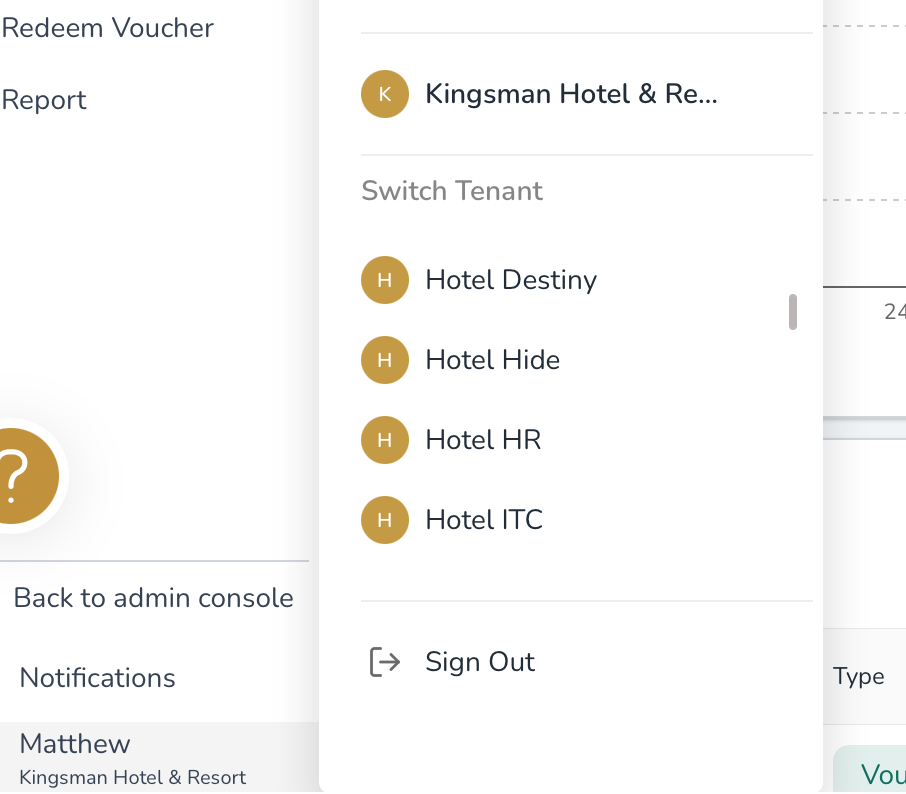
- Click your Name in the bottom left sidebar.
- The property you are active in will show at the top of the list.
- Below the heading, "Switch Tenant" you will see a list of all the properties you have access to.
- Click one of the properties to switch accounts.
- And do the reverse to get back to the original property.
What happens next
- when a new tenant is selected, you will be redirected to that account.
Last updated: 11/26/26, 3:52 PM